Stay Ahead of the Curve
Latest AI news, expert analysis, bold opinions, and key trends — delivered to your inbox.
AI-made slides just became editable — and that’s a bigger deal than it sounds
4 min read Slides made with Nano Banana Pro are now fully editable without regenerating the entire image—combining AI speed, visual quality, and precise, point-and-click edits. A big step toward production-ready AI presentations. December 23, 2025 13:45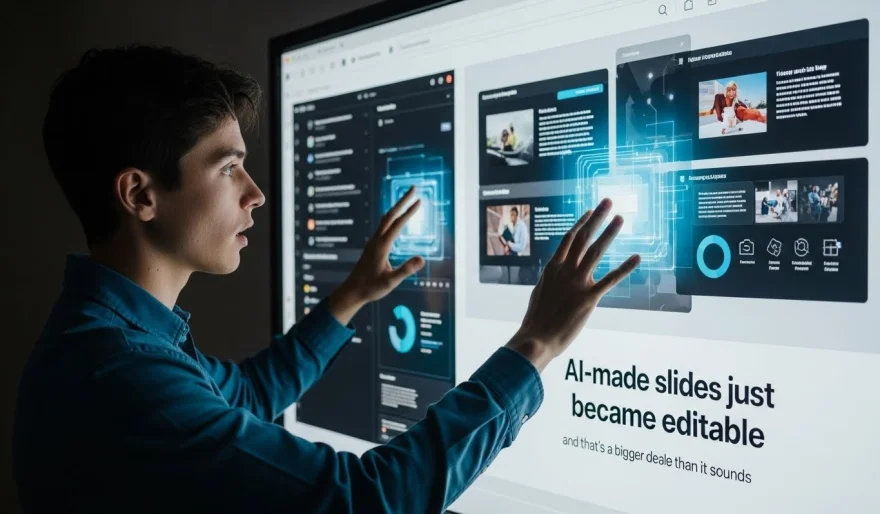
One of the most frustrating trade-offs in AI presentations may finally be gone.
Slides created with Nano Banana Pro are now fully editable — a first for AI-generated decks that rely on image-based slide generation. The update, rolling out to all users today, lets people make precise, targeted edits to AI-generated slides without regenerating the entire image.
Until now, Nano Banana Pro (via Manus) produced visually polished slides by generating each slide as a single image. The downside? One typo, spacing issue, or layout tweak meant starting over. Fast generation, slow iteration.
This update changes that.
What actually changed
You can now click directly on any part of a generated slide and edit it using point-and-click controls — text, layout elements, and details — while keeping the original visual quality intact.
No re-prompting.
No re-rendering the whole slide.
No breaking creative flow.
In short: AI speed plus human-level precision.
Why this matters (a lot)
This solves a quiet but critical problem in AI design tools: editability.
Most AI presentation tools optimize for “wow” moments — fast, beautiful outputs — but fall apart when real-world iteration begins. This update removes the forced choice between:
-
stunning visuals or
-
practical, last-mile edits
Now you get both:
-
Make small changes without nuking the entire slide
-
Fix mistakes instantly
-
Iterate like a designer, not a prompt engineer
It’s a step toward AI tools that work with humans, not just ahead of them.
How it works (simple workflow)
-
Create a presentation in Manus using Nano Banana Pro (image generation mode)
-
Select the slide you want to tweak
-
Click the specific element you want to edit
-
Make your changes
-
Save — visual quality stays intact
No quality loss, no regeneration loop.
The bigger picture
This isn’t just a feature update — it’s a signal.
AI creative tools are moving past the “generate and pray” phase into something more mature: AI-assisted craftsmanship. Speed gets you 80% there. Control gets you across the finish line.
If this approach spreads, expect similar upgrades in:
-
AI design tools
-
AI video generation
-
AI document and layout systems
The future of AI creation isn’t just faster output.
It’s editable output.
And that’s when AI tools actually become production-ready.












 AI Agents